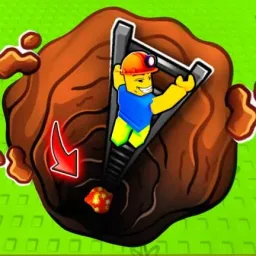
Dig to Earth’s CORE!

Dig deep in Dig to Earth's CORE! Join the official Discord for early codes, strategy builds, event updates, and community labs.

Dig to Earth's CORE!

Created: March 31, 2025

Members: 14193

Join Discord Server

Dig to Earth’s CORE is a thrilling Roblox mining adventure where your goal is to excavate all the way to the planet’s center. Using a variety of pickaxes—from Wood all the way to Firework tiers—you chip away layers of geological terrain, earn cash, gems, and wins, then reinvest in loot and tools to dig deeper.

Progression hinges on balancing upgrades: faster pickaxes boost digging efficiency and income, spins and time rewards unlock additional perks, while rare pets (found via eggs) further multiply cash gains. Each deeper world increases resource value but also introduces tougher barriers—so optimizing gear and resource flow is key.

Codes periodically grant freebies like gems, coins, or spins. These codes debut first on the official Dig to Earth’s CORE Discord, run by Slime Mime Studios. The server is also where developers post patch notes, roadmaps, and event teasers, ensuring members stay in sync.

Joining the server gives you access to community-shared strategies: optimal upgrade orders, pet ROI breakdowns, and route planning for deeper worlds. Discord becomes more than a code drop spot—it’s a living hub of collective intel for serious diggers.

How to join the Dig to Earth’s CORE! Discord server?

If you are wondering how to join the discord server "Dig to Earth’s CORE!" to get the latest updates, announcements, and guides, just follow these simple steps:

  1. Scroll back to the top of this page and click the prominent "Join Discord Server" button.
  2. You will be instantly redirected to the official invite link for the Dig to Earth’s CORE! community.
  3. If the direct link doesn't open automatically on your mobile device, simply copy the invite code from the URL, open your Discord app, click the "+" (Add a Server) icon, choose "Join a Server", and paste the code there.

Safe Browsing Reminder

Please note that Discord.Do is an unofficial educational guide and catalog. We are not affiliated with Discord, Inc. We will never ask for your password, email, or login token. True Discord authentication happens strictly on the official discord.com domain. Always verify your browser's address bar and practice digital hygiene!

Leave a Reply

Your email address will not be published. Required fields are marked *