Find The Country

Join the official Find The Country Discord server to challenge geography fans, share map knowledge, discuss tricky locations, and follow game updates.

Find The Country🌍 Discord server

Created: February 01, 2026

Members: 22

Join Discord Server

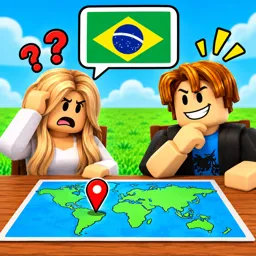
Knowing where a country is on the map is one thing. Pinpointing it while someone else is trying to beat your guess is another. Find The Country turns geography into a competitive Roblox experience built around head-to-head challenges. Each round presents a country, and players must locate it on a world map. The closer the guess, the better the result. Win matches to earn coins and work your way up the leaderboards.

The official Find The Country Discord server brings together players who enjoy testing their knowledge of the world. It’s a good place to compare guesses, argue over difficult geographical locations, share surprising discoveries, and challenge others who think they know the map better. Conversations can get particularly interesting when two players have very different ideas about where a country belongs.

Geography is full of tricky details: small neighbouring countries, unfamiliar borders, islands that are easy to overlook, and places that look deceptively close on a world map. Discussing these with other players is part of what makes the community interesting. The server also gives fans a place to follow announcements and keep up with the development of Find The Country.

How to join the Find The Country Discord server?

If you are wondering how to join the discord server "Find The Country" to get the latest updates, announcements, and guides, just follow these simple steps:

  1. Scroll back to the top of this page and click the prominent "Join Discord Server" button.
  2. You will be instantly redirected to the official invite link for the Find The Country community.
  3. If the direct link doesn't open automatically on your mobile device, simply copy the invite code from the URL, open your Discord app, click the "+" (Add a Server) icon, choose "Join a Server", and paste the code there.

Safe Browsing Reminder

Please note that Discord.Do is an unofficial educational guide and catalog. We are not affiliated with Discord, Inc. We will never ask for your password, email, or login token. True Discord authentication happens strictly on the official discord.com domain. Always verify your browser's address bar and practice digital hygiene!

Leave a Reply

Your email address will not be published. Required fields are marked *