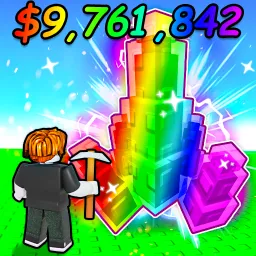
Grow Crystals! invites players into a serene yet engaging farming simulator on Roblox, where the primary focus is growing vibrant crystals instead of crops. From small beginnings, you discover shiny shards in the shop, plant them in mine plots, and watch the crystals grow—even while offline—before harvesting and selling them for coins.
The core loop is calm but rewarding: plant, wait, harvest, and reinvest in rarer crystal types or more mine slots. Auto-sell and quick-harvest upgrades help streamline the process, while miners collect crystals passively, making it easy to progress even when you’re resting . As tiers advance, each crystal variety brings better visual flair and raises earnings, compelling you to experiment with placement and timing for optimal results.
What elevates Grow Crystals! is the meta support system it offers. Redeemable codes—shared promptly on social media and official channels—provide free coins to kick-start your growth. Watching your mine expand and mixing crystal types also keeps the experience visually exciting, combining aesthetics with ROI-driven progression.
The official Grow Crystals! Discord server is a hub of activity and strategy. It’s the first place codes land, often tied to new updates or milestones. Players share planting techniques, crystal-tier analyses, and automation setups to optimize earnings. Developer announcements, sneak peeks at future updates, and occasional community events add depth, making Discord an essential companion for anyone looking to build a gleaming crystal empire.