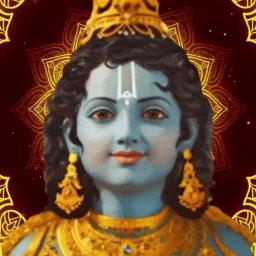
Hinduism・ Sanatan Dharma ・ Bharat ・ Indian Religions ・ India ・ HinduismGPT ・ hinduism

The origin of India, that is Bharat.

Hinduism・ Sanatan Dharma ・ Bharat ・ Indian Religions ・ India ・ HinduismGPT ・ hinduism

Created: October 16, 2022

Members: 7041

Join Discord Server

Welcome, Seekers of Spiritual Enlightenment! ️

Step into the sacred space of the Largest Hinduism Server, where profound wisdom and the beauty of Hindu culture await you. Join our vibrant community of like-minded individuals who share a deep reverence for the ancient teachings of Hinduism.

Discover the Path: Dive into the depths of Hindu philosophy, explore the Upanishads, the Vedas, and the Bhagavad Gita—the timeless guides to inner transformation, using a traditional approach.

Seek Knowledge: Engage in enlightening discussions, ask profound questions, and receive guidance from practitioners and scholars. Expand your understanding of Hinduism’s rich tapestry of rituals, legends, and spiritual practices.

A Tapestry of Tradition: Immerse yourself in the rich tapestry of Hindu culture. From its art, music, and dance to intricately woven festivals, experience the vibrant heritage that continues to inspire millions around the world.

Together, We gain fresh insights into Hinduism, beyond the mainstream biased sources of the internet

How to join the Hinduism・ Sanatan Dharma ・ Bharat ・ Indian Religions ・ India ・ HinduismGPT ・ hinduism Discord server?

If you are wondering how to join the discord server "Hinduism・ Sanatan Dharma ・ Bharat ・ Indian Religions ・ India ・ HinduismGPT ・ hinduism" to get the latest updates, announcements, and guides, just follow these simple steps:

  1. Scroll back to the top of this page and click the prominent "Join Discord Server" button.
  2. You will be instantly redirected to the official invite link for the Hinduism・ Sanatan Dharma ・ Bharat ・ Indian Religions ・ India ・ HinduismGPT ・ hinduism community.
  3. If the direct link doesn't open automatically on your mobile device, simply copy the invite code from the URL, open your Discord app, click the "+" (Add a Server) icon, choose "Join a Server", and paste the code there.

Safe Browsing Reminder

Please note that Discord.Do is an unofficial educational guide and catalog. We are not affiliated with Discord, Inc. We will never ask for your password, email, or login token. True Discord authentication happens strictly on the official discord.com domain. Always verify your browser's address bar and practice digital hygiene!

Leave a Reply

Your email address will not be published. Required fields are marked *