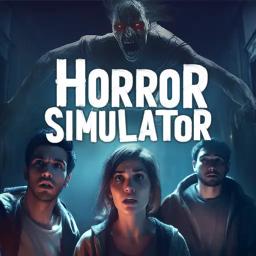
Welcome to Suplife Games VR Horror Paradise!
This server is a thrilling hub for fans of VR horror games! We feature three spine-chilling multiplayer VR experiences: Horror Simulator
Whether you’re a seasoned horror enthusiast or a curious newcomer, our community offers a unique blend of terror and camaraderie.
Why Join Us?
– Engage with Developers: Connect directly with the creative minds behind your favorite VR horror games. – Share your feedback, ask questions, and get exclusive insights into upcoming updates and features.
– Community Events: Participate in exciting events, game nights, and exclusive beta tests. Be the first to experience new content and features before anyone else!
– Hang Out & Have Fun: Our community isn’t just about scares. Enjoy hanging out with friends, sharing pet pics, and even indulging in some Gregorian chanting for a unique twist!
– Support & Tips: Get tips and tricks from fellow players, share your experiences, and help each other navigate through the terrifying twists and turns of our games.
– VR Enthusiasts Welcome: Even if you’re new to VR, join us to explore the world of virtual reality horror. We love welcoming new players and helping them get started.
Join us and be a part of a growing community of VR horror fans. Whether you want to escape from a haunted room, survive a night of terror, or simply hang out with like-minded individuals, there’s a place for you here.
Let’s make horror fun together! ️