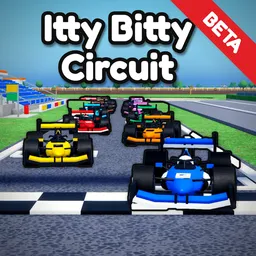
Itty Bitty Circuit

Join the official Itty Bitty Circuit Discord to share track designs, discuss venue upgrades, report bugs, and follow the Roblox racing game's development.

Itty Bitty Circuit Discord server

Created: October 23, 2026

Members: 257

Join Discord Server

Building a racing circuit is a different challenge from driving on one. In Itty Bitty Circuit, a Roblox motorsport management game, players start with a small racing venue and gradually turn it into a destination for serious racing. You design the track yourself, choosing corners and layouts, then expand the surrounding facilities to accommodate bigger events.

The racing calendar is only part of the business. Garages, paddocks, and other facilities help develop your venue, while attracting fans and building a reputation open the way to more prestigious competitions. As the circuit grows, you can host everything from junior formula racing to Formula 1 and endurance events featuring Hypercars. The fun is in seeing a venue you designed develop into something much more ambitious.

Track design gives players plenty to compare. A tight sequence of corners creates a very different circuit from a fast layout with sweeping turns, and there’s room to experiment with how the venue looks and operates. The official Itty Bitty Circuit Discord server is the place to share those ideas, discuss construction and management decisions, report bugs during the beta, and exchange feedback with other players. It’s also useful for following the game’s development as new possibilities are added.

How to join the Itty Bitty Circuit Discord server?

If you are wondering how to join the discord server "Itty Bitty Circuit" to get the latest updates, announcements, and guides, just follow these simple steps:

  1. Scroll back to the top of this page and click the prominent "Join Discord Server" button.
  2. You will be instantly redirected to the official invite link for the Itty Bitty Circuit community.
  3. If the direct link doesn't open automatically on your mobile device, simply copy the invite code from the URL, open your Discord app, click the "+" (Add a Server) icon, choose "Join a Server", and paste the code there.

Safe Browsing Reminder

Please note that Discord.Do is an unofficial educational guide and catalog. We are not affiliated with Discord, Inc. We will never ask for your password, email, or login token. True Discord authentication happens strictly on the official discord.com domain. Always verify your browser's address bar and practice digital hygiene!

Leave a Reply

Your email address will not be published. Required fields are marked *