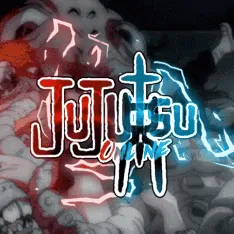
Jujutsu Beatdown drops you into frantic anime-style combat on Roblox, where mastering character-specific combos and timing your “Awakened” mode can turn the tide of every match. Choose from powerful fighters like The Honored One and King of Curses, each boasting deep move sets that change when their Awakening gauge fills. With skill-based PvP and flashy special attacks, each duel tests your speed, reflexes, and strategic timing.
Progression in the game hinges on earning gems through victory and exploration, which you can redeem for new characters, cosmetics, and upgrades. Regular updates introduce new fighters, balance patches, and map rotations. Staying current is key—mastery is rewarded in leaderboards and match rankings.
The official Jujutsu Beatdown Discord server is essential for anyone taking the game seriously. It’s where developers announce patches, new codes for free gems, and upcoming content like fighters or modes. Players share combo breakdowns, map strategies, and tips to accelerate Awakening gauge buildup. The server also hosts tournaments, scrims, and community events—ideal for testing your build or finding teammates to practice with.
For fans of fast-paced anime combat and continuous skill progression, Jujutsu Beatdown delivers—and its Discord community ensures you’re always in the loop, improving, and ready for your next battle.



![Super Head Soccer [SHS] Discord server](https://discord.do/wp-content/uploads/2026/07/Super-Head-Soccer-SHS-Discord-server.webp "Super Head Soccer")