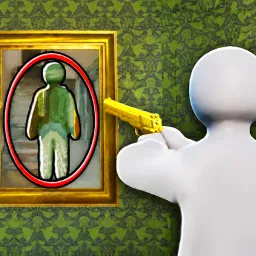
Killer Mystery | ROBLOX

Killer Mystery – The best detective game on Roblox! Join our Discord for exclusive updates, events, trading, and community fun. Better maps, smarter gameplay, and more thrills. Play smarter. Kill cleaner. Survive longer. Join Killer Mystery now!

Killer Mystery | ROBLOX

Created: October 11, 2024

Members: 107544

Join Discord Server

Welcome to Killer Mystery – The Best Murder Mystery 2 Alternative on Roblox!

Looking for a more exciting, balanced, and feature-packed version of Murder Mystery 2? Killer Mystery is the ultimate upgrade! With enhanced gameplay, custom maps, advanced mechanics, and a thriving community, it’s the perfect game for fans of murder mystery Roblox experiences.

Why Choose Killer Mystery?

βœ… Improved graphics & smoother gameplay

βœ… Fairer roles & smarter matchmaking

βœ… Unique weapons, skins, and collectibles

βœ… Competitive leaderboards and rewards

βœ… Regular updates & exclusive events

️ Whether you’re a killer, sheriff, or innocent, every round offers new thrills and strategies. Join our official Discord server to:

Chat with thousands of active players

Get updates on new features and patch notes

Trade items safely and easily

Enter community events, contests, and giveaways

Perfect for fans of Murder Mystery 2, MM2, Roblox murder games, and detective games, Killer Mystery is the next step for players wanting more challenge and excitement.

Join the Killer Mystery Discord today and become part of the next big thing in Roblox murder mystery games!
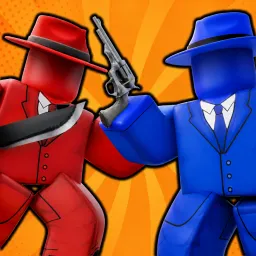

How to join the Killer Mystery | ROBLOX Discord server?

If you are wondering how to join the discord server "Killer Mystery | ROBLOX" to get the latest updates, announcements, and guides, just follow these simple steps:

  1. Scroll back to the top of this page and click the prominent "Join Discord Server" button.
  2. You will be instantly redirected to the official invite link for the Killer Mystery | ROBLOX community.
  3. If the direct link doesn't open automatically on your mobile device, simply copy the invite code from the URL, open your Discord app, click the "+" (Add a Server) icon, choose "Join a Server", and paste the code there.

Safe Browsing Reminder

Please note that Discord.Do is an unofficial educational guide and catalog. We are not affiliated with Discord, Inc. We will never ask for your password, email, or login token. True Discord authentication happens strictly on the official discord.com domain. Always verify your browser's address bar and practice digital hygiene!

Leave a Reply

Your email address will not be published. Required fields are marked *