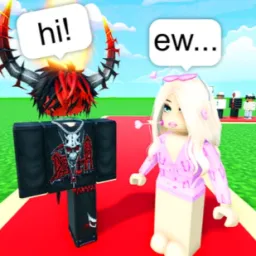
Like or Pass on Roblox puts a fun twist on the swipe-style matchmaking format: you’re presented with player avatars or profiles and must choose whether to “like” (match) or “pass” on them. Matches spark interactions—chat, hang out, or form friendships—while high-match streaks unlock coins to customize your profile or buy in-game perks.
The heart of the game is its social engine. With daily events like Streak Week and seasonal badge challenges, players stay engaged while forming connections. Profile customization—through cosmetics, bio lines, and favorite emotes—adds personality, making every like a glance into someone’s style. The pacing is light and fun, offering a modern virtual twist on friendship discovery.
The official Like or Pass Discord server amplifies the experience. It’s where codes are posted to unlock coins, cosmetics, or limited-time frames—often released during events. You’ll find community spaces for avatar sharing, custom badge showcases, and announcements about upcoming social challenges. Plus, the dev team drops hints on new features, hosts Q&A sessions, and listens to feedback in real time.
Whether you’re seeking new friends, flexing a fresh avatar, or aiming for match streak glory, Like or Pass is a vibrant, community-centered game. Its Discord server connects you to social rewards, updates, and the lively group that’s helping shape the experience—swipe right into fun and friendship!