Livetopia RP

Roleplay and explore modern city life in Livetopia RP! Join the official Discord for updates, events, community showcases, and roleplay hangouts.

Livetopia RP Discord server

Created: April 28, 2021

Members: 20485

Join Discord Server

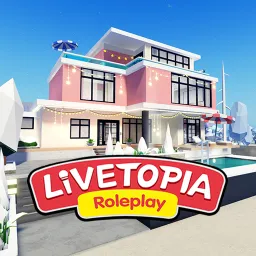
Livetopia RP, developed by Century Makers, is a rich Roblox role-playing world where players embrace modern city life as doctors, musicians, educators, or homeowners. With private villas, customizable pets, vehicles, and seasonal events, the game mixes laid-back social gameplay with creative expression in a growing urban sandbox.

Choose a career path—such as firefighter, realtor, or celebrity—and evolve your avatar over time. You’ll earn in-game currency through jobs, decorate your home, host parties, and explore hidden secrets across the massive map. Pets, costumes, and secret items bring depth and personality to every player’s journey.

The official Livetopia Discord server is the heart of the community, with over 20,000 members. Inside, you’ll find event previews, update announcements, and creative hubs for sharing house designs or pet showcases. It’s also the best place for insider news on seasonal drops and to connect with fellow roleplayers or content creators.

Whether you’re hosting a rooftop party or cruising in your go-kart with friends, Livetopia RP shines as a vibrant world of roleplay and exploration. With its Discord community backing every reveal and gathering, you’re never alone in crafting urban tales under tropical skies.
How to join the Livetopia RP Discord server?

If you are wondering how to join the discord server "Livetopia RP" to get the latest updates, announcements, and guides, just follow these simple steps:

  1. Scroll back to the top of this page and click the prominent "Join Discord Server" button.
  2. You will be instantly redirected to the official invite link for the Livetopia RP community.
  3. If the direct link doesn't open automatically on your mobile device, simply copy the invite code from the URL, open your Discord app, click the "+" (Add a Server) icon, choose "Join a Server", and paste the code there.

Safe Browsing Reminder

Please note that Discord.Do is an unofficial educational guide and catalog. We are not affiliated with Discord, Inc. We will never ask for your password, email, or login token. True Discord authentication happens strictly on the official discord.com domain. Always verify your browser's address bar and practice digital hygiene!

Leave a Reply

Your email address will not be published. Required fields are marked *