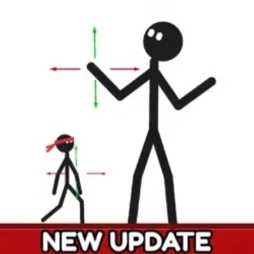
A character doesn’t need a complicated design to have a story worth telling. In Make a Cartoon!, even a stick figure can become the star of an animated short. You draw the characters, pose their bodies by moving individual joints, add another frame with a slightly different position, and repeat. Press Play, and your drawings suddenly have a life of their own.
The official Make a Cartoon! Discord brings together players interested in animation, drawing, and sharing their creations. It’s a natural extension of the in-game Gallery, where cartoons can be shown to other players and receive likes. Comparing animation ideas and seeing what others make can be just as entertaining as working on your own production.
There are surprisingly useful tools packed into the editor. You can draw freely with different colours and brush sizes, pick colours directly from your scene, add speech bubbles, and control camera movement and zoom. City, Beach, Space, and Night backgrounds give your characters somewhere to perform, whether you’re making a quick comedy sketch or trying to tell a longer story.
The best part is that there’s no need to be an experienced animator. Start with two frames, experiment with movement, and gradually work out how to make a scene more expressive. Cartoons are saved automatically, so you can return to unfinished projects whenever inspiration strikes. Make a Cartoon! is less about getting everything perfect and more about seeing what you can create with a few drawings and a little imagination.