My Anime Mine

Summon heroes and trade rare ores in My Anime Mine on Roblox! Join the official Discord server to trade items and unlock exclusive meta strategy guides.

My Anime Mine Discord server

Created: August 25, 2026

Members: 25965

Join Discord Server

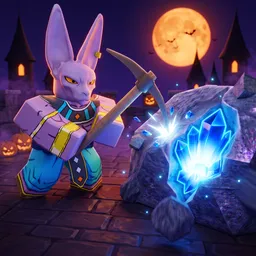
Your anime crew stands in front of a massive mineral wall, pulling off overpowered enchantments and mutating their skills to shatter rare ores at lightning speed. This is the core loop of My Anime Mine, a distinct incremental Roblox game where everything scales exponentially. You summon limited characters, invest deep into a complex research tree to break into new mining zones, and optimize your overall damage output to climb the global ranks.

However, once you finally breach the endgame zone, the entire dynamic shifts from a solo grinding experience to a player-driven market.

Because player trading unlocks at the very end of your journey, having an isolated gameplay loop means missing out on the best character swaps and rare item conversions. The official My Anime Mine Discord serves as the definitive global trading floor and strategy center for the player base. Instead of shouting into chaotic in-game public servers, top-tier miners use this hub to negotiate rare character trades, share optimal mutation builds, and discuss the absolute fastest ways to clear the newest zones.

Stop swinging your pickaxe in a vacuum. Jump right into the My Anime Mine Discord server, find reliable trading partners, and build the ultimate anime mining squad on Roblox.

How to join the My Anime Mine Discord server?

If you are wondering how to join the discord server "My Anime Mine" to get the latest updates, announcements, and guides, just follow these simple steps:

  1. Scroll back to the top of this page and click the prominent "Join Discord Server" button.
  2. You will be instantly redirected to the official invite link for the My Anime Mine community.
  3. If the direct link doesn't open automatically on your mobile device, simply copy the invite code from the URL, open your Discord app, click the "+" (Add a Server) icon, choose "Join a Server", and paste the code there.

Safe Browsing Reminder

Please note that Discord.Do is an unofficial educational guide and catalog. We are not affiliated with Discord, Inc. We will never ask for your password, email, or login token. True Discord authentication happens strictly on the official discord.com domain. Always verify your browser's address bar and practice digital hygiene!

Leave a Reply

Your email address will not be published. Required fields are marked *