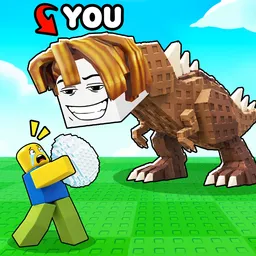
Plant & Steal

Join the official Plant & Steal Discord! Coordinate heists, protect your crops from greedy raiders, and find active squads to dominate the server.

Plant & Steal Discord server

Created: September 24, 2026

Members: 1509

Join Discord Server

Growing a massive, high-value harvest feels great until you realize half the server has binoculars glued to your base. In this Roblox experience, cultivating a farm isn’t just about watching green things sprout—it is a high-stakes game of pure paranoia where defending your yield is ten times harder than growing it.

Trying to fend off sneaky raiders or pull off multi-person heists entirely by yourself is a recipe for losing everything in minutes. You turn your back for two seconds to check a timer, and some random duo cleans out your entire inventory while you are left holding an empty shovel and wondering where it all went wrong.

That is precisely why dropping into the official community server changes the entire flow of the game. Instead of playing scared and getting constantly outsmarted, you can link up with players who actually know how to set up proper perimeter defenses and plan clean, coordinated counter-attacks.

The server is packed with active channels for trading rare seeds, organizing heist squads, and catching immediate patch notes straight from the developers. Hop in, find a crew that actually watches your six, and start doing the stealing instead of getting looted.


How to join the Plant & Steal Discord server?

If you are wondering how to join the discord server "Plant & Steal" to get the latest updates, announcements, and guides, just follow these simple steps:

  1. Scroll back to the top of this page and click the prominent "Join Discord Server" button.
  2. You will be instantly redirected to the official invite link for the Plant & Steal community.
  3. If the direct link doesn't open automatically on your mobile device, simply copy the invite code from the URL, open your Discord app, click the "+" (Add a Server) icon, choose "Join a Server", and paste the code there.

Safe Browsing Reminder

Please note that Discord.Do is an unofficial educational guide and catalog. We are not affiliated with Discord, Inc. We will never ask for your password, email, or login token. True Discord authentication happens strictly on the official discord.com domain. Always verify your browser's address bar and practice digital hygiene!

Leave a Reply

Your email address will not be published. Required fields are marked *