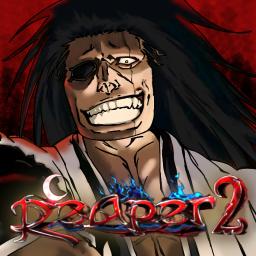
Reaper 2 is a popular anime-inspired action RPG on Roblox, based on the Bleach series. Players dive into an expansive world where they can become Soul Reapers, Hollows, or Quincies, each with unique abilities and combat styles. The game features an engaging progression system, allowing players to unlock powerful transformations, train their skills, and take on challenging quests to grow stronger.
The gameplay revolves around intense battles, strategic decision-making, and an evolving storyline that keeps players engaged. Whether you’re exploring the vast open world, fighting NPCs, or testing your strength against other players in PvP combat, Reaper 2 offers a thrilling experience for fans of both Bleach and action RPGs. The game also regularly updates with new content, ensuring fresh challenges and mechanics for players to enjoy.
For those looking to engage with the Reaper 2 community, the official Discord server is the perfect place. It serves as a hub where players can discuss strategies, ask for game-related help, and stay informed about the latest updates. The developers actively interact with members, providing insights into future content and addressing player feedback to enhance the game.
Joining the Reaper 2 Discord server allows players to connect with others, participate in community events, and get real-time support. Whether you’re a beginner seeking guidance or a veteran looking for competitive matchups, the server provides a space to grow and thrive in the world of Reaper 2.