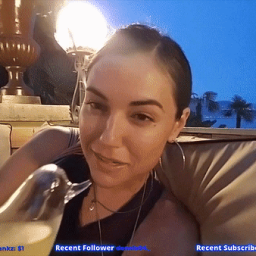
Welcome to Sasha Grey’s Official Discord – Sasha’s only official Community for Streaming, Gaming, Cooking, Music & Film Enthusiasts
Join an international network of fans and supporters who are passionate about streaming, interactive entertainment, and gaming. Whether you follow Sasha for her Twitch streams, culinary skills, gaming content, music taste, or film culture—this is the space where real community connects and thrives.
Inside the Discord Community:
• Culinary Creators & Foodies: Engage in real-time cooking discussions, share recipes, and learn alongside Sasha in food-focused channels built for passionate home chefs and gourmet enthusiasts.
• Premium Gaming Spaces: Team up or spectate in curated game chats, tournament discussions, and cross-platform gaming rooms made for serious players and casual fans alike.
• Music Lounge for Audiophiles: Discover tracks, swap playlists, and join global listening parties with a crowd that values deep music knowledge and great sound.
• Global Movie Nights: Participate in scheduled film watch parties and connect with a film-savvy community that loves everything from cult classics to global cinema.
Exclusive Perks for Twitch Subscribers:
Gain access to subscriber-only channels, connect more directly with Sasha’s content, and stay up to date on new streams, drops, merch, and more. Built for fans who support the creators they believe in.
Designed for a global audience—from New York to Tokyo, Berlin to São Paulo—this community brings together people who value authentic content, premium engagement, and creator-first culture.
Join now, and become part of a high-value fanbase built around creativity, passion, and real-time access to the Sasha Grey community