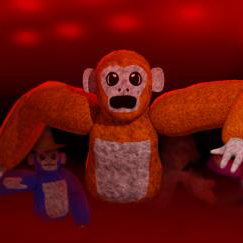
This is the the Scary Baboon VR scariest gorilla tag fan game you will ever see! Watch out a monster might lurk on your screen!
Official Scary Baboon discord server
This is the the Scary Baboon VR scariest gorilla tag fan game you will ever see! Watch out a monster might lurk on your screen!
If you are wondering how to join the discord server "Scary Baboon VR" to get the latest updates, announcements, and guides, just follow these simple steps:
Please note that Discord.Do is an unofficial educational guide and catalog. We are not affiliated with Discord, Inc. We will never ask for your password, email, or login token. True Discord authentication happens strictly on the official discord.com domain. Always verify your browser's address bar and practice digital hygiene!



I love this game so much and owner can you please make me a staff member ????? pleasessssssssssss i love this game soooooooooooooooooooooooooooooooooooooooooo much plssssssssssss make me a staff member
hi
Mere ko yah game khelni hai aur video banani hai YouTube per
can i please be staff my name in scary baboon is sad
I can’t join public lobby’s with people
But the game is fun
I have to factory reset my oculus will it get rid of my cosmetics and other stuff in scary baboon
The comment about staff I’ve been wanting to be a stoppp for like when you’re ready and I’ve got applications cause I really wanted it and I saw YouTube videos about it and I just like the RPG in the scar in the mods menu and I’ve been wanting this for all your right now and I saw that in April 30 the applications will be not available, so I’m trying to get them right now
Scary baboon owner can you please let me be a staff I love this game all