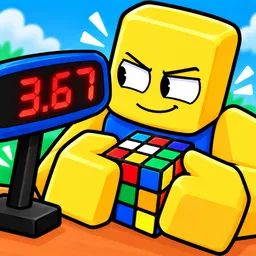
Solve The Cube

Solve The Cube Discord for Roblox players to discuss Rubik's Cube puzzles, memory challenges, speedcubing races, and record times.

Solve The Cube Discord server

Created: October 04, 2026

Members: 295

Join Discord Server

Remembering the moves is easy when you can see them. Solve The Cube, a Roblox puzzle game by Guess the Studios!, challenges players to memorize a sequence of cube turns and enter it from memory before their rivals finish. It’s a test of concentration as much as puzzle-solving, where a forgotten move can cost you the race.

The competition is straightforward: solve the cube, set a faster time, and try to beat other players. Different cube types keep things varied, but the underlying algorithms remain the same. If you’ve ever practised speedcubing or tried to improve a personal best, the appeal is obvious.

The Solve The Cube Discord community gives players somewhere to discuss their runs, compare times, and talk about the tricks they use to remember move sequences. It’s also a natural place to share progress and follow conversations around the game as new updates arrive.

Players who want a more hands-on challenge can choose Zero Assist, which lets them solve a genuinely scrambled cube themselves rather than relying on memorized instructions. That changes the experience from a memory race into a test of actual cube-solving ability. Whether you’re chasing a record or trying to master the puzzle without help, there’s always a better time to aim for.


How to join the Solve The Cube Discord server?

If you are wondering how to join the discord server "Solve The Cube" to get the latest updates, announcements, and guides, just follow these simple steps:

  1. Scroll back to the top of this page and click the prominent "Join Discord Server" button.
  2. You will be instantly redirected to the official invite link for the Solve The Cube community.
  3. If the direct link doesn't open automatically on your mobile device, simply copy the invite code from the URL, open your Discord app, click the "+" (Add a Server) icon, choose "Join a Server", and paste the code there.

Safe Browsing Reminder

Please note that Discord.Do is an unofficial educational guide and catalog. We are not affiliated with Discord, Inc. We will never ask for your password, email, or login token. True Discord authentication happens strictly on the official discord.com domain. Always verify your browser's address bar and practice digital hygiene!

Leave a Reply

Your email address will not be published. Required fields are marked *