
SpellChain

Spell experiments are better shared. The official SpellChain Discord brings players together to compare spell chains, wizard builds, and chaotic encounters.

SpellChain Discord server

Created: January 03, 2026

Members: 188

Join Discord Server

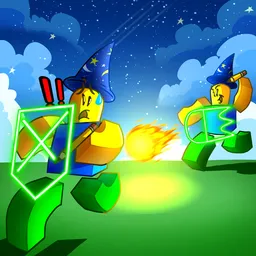
SpellChain is built around the pleasure of experimenting with magic. This first-person fantasy RPG lets you create, modify, and chain spells together while fighting through waves of enemies. Instead of relying on a fixed set of attacks, you can try different combinations, discover unexpected effects, and shape a wizard build around your preferred style of combat.

The official SpellChain Discord gives players a place to compare those experiments. Members can exchange ideas for spell combinations, discuss equipment and ability choices, and share experiences from battles that went either brilliantly or disastrously. It is especially useful for players looking for fresh approaches to the spellcrafting system rather than sticking with the same familiar attacks.

There is more to the kingdom than combat. You travel from your tower in the clouds to interrupt public events, wreck gatherings, and cause trouble in changing locations. As your wizard becomes stronger, new abilities and gear open up more ways to create chaos, while powerful bosses stand between you and the ultimate goal of taking down the king. The community adds another angle to that journey, with players discussing their discoveries and favourite ways to turn an ordinary encounter into magical mayhem.
How to join the SpellChain Discord server?

If you are wondering how to join the discord server "SpellChain" to get the latest updates, announcements, and guides, just follow these simple steps:

  1. Scroll back to the top of this page and click the prominent "Join Discord Server" button.
  2. You will be instantly redirected to the official invite link for the SpellChain community.
  3. If the direct link doesn't open automatically on your mobile device, simply copy the invite code from the URL, open your Discord app, click the "+" (Add a Server) icon, choose "Join a Server", and paste the code there.

Safe Browsing Reminder

Please note that Discord.Do is an unofficial educational guide and catalog. We are not affiliated with Discord, Inc. We will never ask for your password, email, or login token. True Discord authentication happens strictly on the official discord.com domain. Always verify your browser's address bar and practice digital hygiene!

Leave a Reply

Your email address will not be published. Required fields are marked *