Steal a Brainrot Mutation Notifier

Steal a Brainrot Mutation Notifier Discord is a fan server with automated alerts, safe trading, giveaways, and community guides for collectors.

Steal a Brainrot Mutation Notifier Discord server

Created: July 19, 2025

Members: 212236

Join Discord Server

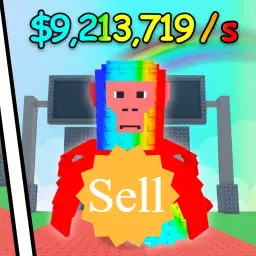
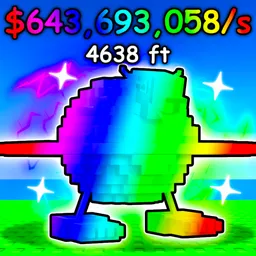
For many Roblox fans chasing rare spawns in Steal a Brainrot, speed is everything. That’s where the Mutation Notifier Discord comes in. Although it’s not the game’s official server, it has exploded in popularity, gathering more than 200,000 members. The community promotes itself as the only place offering automated admin abuse and mutation alerts, and it delivers exactly that. Whenever mutated Brainrots appear or admins trigger in-game events, automated bots send instant notifications, giving players the upper hand.

But this server isn’t just an alert feed. Its moderators keep trade hubs running smoothly with clear rules and minimal spam, so collectors can buy, sell, and swap their most valuable pets safely. The community also thrives on frequent giveaways — Robux, fruits, and rare pets are all up for grabs. Add in guides, pinned checklists, and casual chats, and you get a place that’s as informative as it is social.

The Mutation Notifier’s charm lies in its fan-driven nature. Players welcome newcomers, trade tips, and share memes, creating a balance between competitive hunting and casual fun. For anyone serious about collecting rare Brainrots — or simply staying ahead of admin raids — this server has become an indispensable companion to the game itself.
How to join the Steal a Brainrot Mutation Notifier Discord server?

If you are wondering how to join the discord server "Steal a Brainrot Mutation Notifier" to get the latest updates, announcements, and guides, just follow these simple steps:

  1. Scroll back to the top of this page and click the prominent "Join Discord Server" button.
  2. You will be instantly redirected to the official invite link for the Steal a Brainrot Mutation Notifier community.
  3. If the direct link doesn't open automatically on your mobile device, simply copy the invite code from the URL, open your Discord app, click the "+" (Add a Server) icon, choose "Join a Server", and paste the code there.

Safe Browsing Reminder

Please note that Discord.Do is an unofficial educational guide and catalog. We are not affiliated with Discord, Inc. We will never ask for your password, email, or login token. True Discord authentication happens strictly on the official discord.com domain. Always verify your browser's address bar and practice digital hygiene!

Leave a Reply

Your email address will not be published. Required fields are marked *