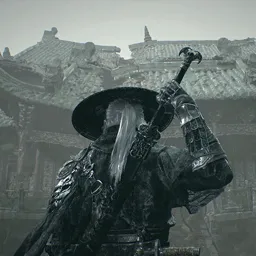
Steal a Brainrot | Trading & Admin Abuse Alerts

Steal a Brainrot Discord Roblox Trading | Admin Abuse Event Alerts | Free giveaways | Wiki Help

Steal a Brainrot | Trading & Admin Abuse Alerts

Created: May 19, 2025

Members: 240411

Join Discord Server

** Join the Brainrot Trading Discord!**
https://discord.gg/stealarot

Welcome to the **Brainrot Trading Hub** β€” your one-stop server for chaotic trades, meme-worthy moments, and a community that doesn’t take itself too seriously.

✨ **What we offer:**

* **Real-time Event Notifications** – Stay updated on limited-time offers, flash events, and surprise drops.
* β€βš–οΈ **Admin Abuse (in the fun way)** – Expect wild power trips, rogue mods, and server lore that makes zero sense (but we love it).
* ️ **Notifier Bots** – Be the first to know about key trades, events, and exclusive opportunities.
* **Unfiltered Chat & Chaos** – Dive into unhinged convos and enjoy the full Brainrot experience.
* **Trade Safely (or Chaotically)** – Connect with others to trade, scam (joking… unless?), and meme your way to the top.

Whether you’re here to trade, troll, or just witness the madness β€” we’ve got a spot for you. Come rot your brain with us.
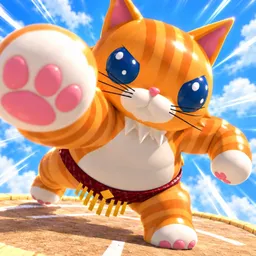
How to join the Steal a Brainrot | Trading & Admin Abuse Alerts Discord server?

If you are wondering how to join the discord server "Steal a Brainrot | Trading & Admin Abuse Alerts" to get the latest updates, announcements, and guides, just follow these simple steps:

  1. Scroll back to the top of this page and click the prominent "Join Discord Server" button.
  2. You will be instantly redirected to the official invite link for the Steal a Brainrot | Trading & Admin Abuse Alerts community.
  3. If the direct link doesn't open automatically on your mobile device, simply copy the invite code from the URL, open your Discord app, click the "+" (Add a Server) icon, choose "Join a Server", and paste the code there.

Safe Browsing Reminder

Please note that Discord.Do is an unofficial educational guide and catalog. We are not affiliated with Discord, Inc. We will never ask for your password, email, or login token. True Discord authentication happens strictly on the official discord.com domain. Always verify your browser's address bar and practice digital hygiene!

Leave a Reply

Your email address will not be published. Required fields are marked *