Trap and Bait

Set traps or steal cheese in Trap and Bait! Join the official Discord for strategy tips, role builds, and event updates.

Trap and Bait Discord server

Created: June 15, 2025

Members: 767

Join Discord Server

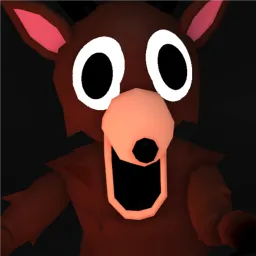
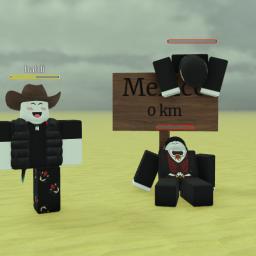
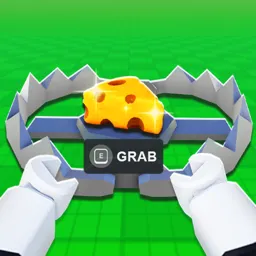
Trap and Bait is a thrilling, team-based Roblox strategy game by Trapped @ Devextra that pits two sides against each other: Traps, who must protect their cheese bait with clever defenses, and Rats, who try to stealthily swipe it away and sell it for profit. Traps plant increasing-value bait and upgrade it if it’s protected, while Rats must time their moves to avoid being caught in snapping traps.

Every match rewards smart decision-making. Traps can unlock stronger defenses or improve their bait’s coin-generation by protecting it long enough, while Rats invest in abilities like speed boosts or trap disables to outsmart opponents and snag the cheese.

The official Trap and Bait Discord server serves as an invaluable resource. The dev team shares patch notes, reveals new abilities or traps, and announces upcoming events. Players gather there to discuss effective trap placements, share sneaky rat strategies, and dissect talent builds for each role—making it the ideal place to sharpen your edge and stay connected.

Whether you’re guarding your hoard or orchestrating the perfect heist, Trap and Bait blends quick strategy with suspense—and its Discord community makes each match smarter, sharper, and more shared.

How to join the Trap and Bait Discord server?

If you are wondering how to join the discord server "Trap and Bait" to get the latest updates, announcements, and guides, just follow these simple steps:

  1. Scroll back to the top of this page and click the prominent "Join Discord Server" button.
  2. You will be instantly redirected to the official invite link for the Trap and Bait community.
  3. If the direct link doesn't open automatically on your mobile device, simply copy the invite code from the URL, open your Discord app, click the "+" (Add a Server) icon, choose "Join a Server", and paste the code there.

Safe Browsing Reminder

Please note that Discord.Do is an unofficial educational guide and catalog. We are not affiliated with Discord, Inc. We will never ask for your password, email, or login token. True Discord authentication happens strictly on the official discord.com domain. Always verify your browser's address bar and practice digital hygiene!

Leave a Reply

Your email address will not be published. Required fields are marked *