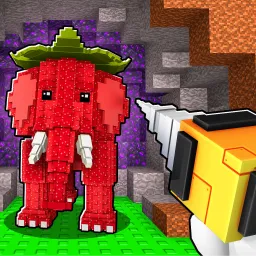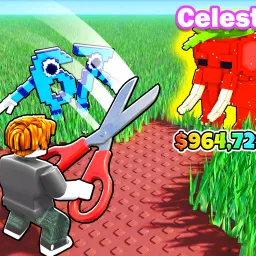
Upgrade Your Brainrot takes the bizarre charm of Roblox’s “brainrot” genre and turns it into a full-blown progression experience. Players begin small, managing a simple setup, and gradually expand into massive operations — collecting, upgrading, and evolving their brainrots to reach new levels of power and rarity. The mix of humor, chaos, and growth makes every upgrade feel rewarding, especially when paired with the game’s colorful style and absurdly fun mechanics.
The official Upgrade Your Brainrot Discord server serves as the ultimate headquarters for fans of the game. Players use it to exchange strategies for efficient upgrades, discuss the value of rare brainrots, and celebrate their most absurd achievements. It’s a lively, meme-filled environment where humor meets competition, perfectly capturing the spirit of the Roblox experience.
Developers regularly communicate through the server, announcing updates, new mutation types, and limited-time events. The feedback channels keep players’ voices heard, ensuring that every major addition feels like a product of community collaboration.
Becoming part of the Upgrade Your Brainrot Discord means joining a creative and chaotic space where progress, trading, and laughter never stop. Whether you’re optimizing your empire or showing off a rare discovery, this is where the smartest (and most brainrotted) players gather to share in the madness.