Zombie Tower

Climb through waves of zombies in Zombie Tower! Fight bosses, unlock classes, and join the official Discord to strategize and survive together.

Zombie Tower Discord server

Created: May 08, 2025

Members: 183

Join Discord Server

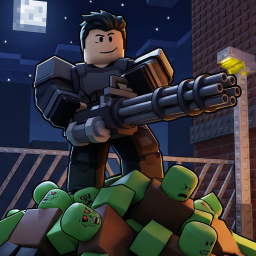
Zombie Tower is an intense, action-packed Roblox experience where players must climb a massive tower overrun by waves of deadly zombies. With each floor, the challenge escalates—zombies become tougher, bosses appear unexpectedly, and the pressure mounts. Your mission is to survive, ascend, and outlast the horde.

Players can choose from different classes, each offering unique weapons and abilities. Whether you prefer spraying zombies with automatic rifles or picking them off with precision, Zombie Tower rewards skill, teamwork, and fast reflexes. You’ll earn cash and bonds as you progress, which can be used to unlock new classes and gear for deeper runs.

Strategic thinking is crucial. Some floors are swarmed with fast-moving enemies, while others drop you into boss battles with limited time and space. The game encourages cooperative play—teams that communicate and plan have a much higher chance of survival.

The official Zombie Tower Discord server acts as a central hub for fans. Inside, you’ll find update announcements, community tier lists, gameplay guides, and class tips. Players also share strategies, find teammates, and compete in challenges. It’s the best place to connect with other climbers and stay ahead in the game.

How to join the Zombie Tower Discord server?

If you are wondering how to join the discord server "Zombie Tower" to get the latest updates, announcements, and guides, just follow these simple steps:

  1. Scroll back to the top of this page and click the prominent "Join Discord Server" button.
  2. You will be instantly redirected to the official invite link for the Zombie Tower community.
  3. If the direct link doesn't open automatically on your mobile device, simply copy the invite code from the URL, open your Discord app, click the "+" (Add a Server) icon, choose "Join a Server", and paste the code there.

Safe Browsing Reminder

Please note that Discord.Do is an unofficial educational guide and catalog. We are not affiliated with Discord, Inc. We will never ask for your password, email, or login token. True Discord authentication happens strictly on the official discord.com domain. Always verify your browser's address bar and practice digital hygiene!

Leave a Reply

Your email address will not be published. Required fields are marked *