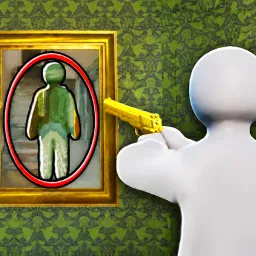
ZOO or OOF on Roblox is a quirky blend of chance and collection, where you’re challenged to rescue adorable (or hilariously misnamed) creatures from enclosures—or suffer the dreaded OOF outcome. Each round lets you open zones of the zoo to reveal what you’ve saved—or lost—adding an edge of suspense to creature grabbing.
The heart of the game lies in discovering and collecting rare breeds—some are cute and cuddly, others are bizarrely funny. Each rescue grants you coins to unlock new zones and expand your zoo collection. With clever camouflage and random chance keeping you on your toes, every rescue attempt combines anticipation and excitement.
The official ZOO or OOF Discord server adds helpful perks and community flair to the experience. Discord users gain early access to redeemable codes for coins, pets, or unlocks, and enjoy strategy channels dedicated to optimizing rescue routes and maximizing collection efficiency. Developer announcements, upcoming event teasers, and community giveaways keep the server buzzing and players engaged.
Whether you’re aiming to complete your creature compendium or just want to laugh at the unexpected OOF moments, ZOO or OOF delivers a playful twist on collection gaming. And with Discord offering codes, tips, and community interaction, you’re never just opening cages—you’re part of an adventurous rescue squad.