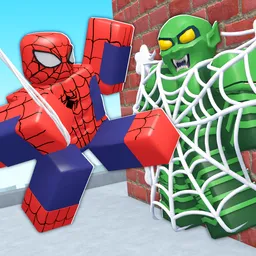
+1 Spider Arm

Join the +1 Spider Arm Discord community to discuss challenging climbs, armature upgrades, stage progress, and gameplay with other players.

+1 Spider Arm Discord server

Created: October 29, 2026

Members: 197

Join Discord Server

Getting higher isn’t simply a matter of holding the climb button. In +1 Spider Arm, players control mechanical spider armatures that grip walls and ceilings, swing across obstacles, and navigate challenging climbing courses. Grip is constantly being consumed while hanging, so finding the right moment to move or release your hold can be just as important as having a powerful machine.

Progress changes how each climb feels. Training adds more arms to your setup, improving its climbing capabilities, while better armatures offer new advantages. Rebirth gives players another way to develop their machines, and the leaderboard adds a competitive reason to keep pushing further.

The +1 Spider Arm Discord community is a place to compare progress, exchange tips on difficult sections, discuss upgrades, and share experiences with other climbers. Players can also meet people who enjoy Roblox obstacle and simulator games, making it easier to find others who understand the satisfaction of finally mastering a tricky climb.


How to join the +1 Spider Arm Discord server?

If you are wondering how to join the discord server "+1 Spider Arm" to get the latest updates, announcements, and guides, just follow these simple steps:

  1. Scroll back to the top of this page and click the prominent "Join Discord Server" button.
  2. You will be instantly redirected to the official invite link for the +1 Spider Arm community.
  3. If the direct link doesn't open automatically on your mobile device, simply copy the invite code from the URL, open your Discord app, click the "+" (Add a Server) icon, choose "Join a Server", and paste the code there.

Safe Browsing Reminder

Please note that Discord.Do is an unofficial educational guide and catalog. We are not affiliated with Discord, Inc. We will never ask for your password, email, or login token. True Discord authentication happens strictly on the official discord.com domain. Always verify your browser's address bar and practice digital hygiene!

Leave a Reply

Your email address will not be published. Required fields are marked *