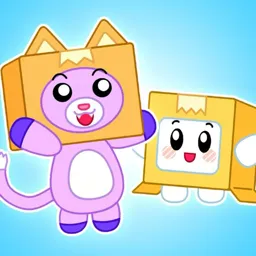
Foxy, Boxy, Rocky, and the rest of the LankyBox crew have become a big part of Justin and Adam’s videos. The duo is known for energetic comedy, Roblox gameplay, character skits, plushies, and challenges built around whatever game or trend they’ve picked up. Much of the fun comes from their over-the-top reactions and the recurring characters that fans recognize from one video to the next.
The LankyBox Discord gives viewers somewhere to hang out beyond YouTube. Members can meet other fans, play Roblox together, share fan art and merchandise, and watch videos as a group. The community is open to users aged 13 and older and has moderation rules against bullying and discrimination.
Roblox is a major part of the LankyBox universe, with fan games and experiences inspired by its characters. The related LankyDevs community also brings Roblox game creators and players into the picture, so there’s room for people who enjoy playing as well as those who follow Justin and Adam’s videos.
There’s no need to wait for a new upload to join the conversation. Fans can talk about their favourite characters, show off their creations, and find other people who enjoy the same videos. Server boosters are also offered opportunities to interact with the LankyBox squad, according to the community’s server description.