Dude, Trust Me

The official Dude, Trust Me Discord brings players together to find a trio, discuss puzzles, share multiplayer mishaps, and follow Sefik Studios news.

Dude, Trust Me Discord server

Created: August 18, 2026

Members: 175

Join Discord Server

Finding two people to play with is only the beginning. In the official Dude, Trust Me Discord server, players can connect with the community behind a puzzle game that makes communication surprisingly difficult. Sefik Studios lists Discord among the game’s official social channels, giving fans a direct place to follow the project and talk with other players.

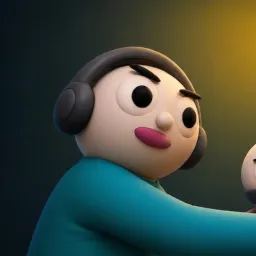
The game has a rather unusual division of responsibilities. One player is BLIND and can only see outlines while using touch to discover clues. Another is DEAF, unable to hear teammates but equipped to see colors and symbols. The third is MUTE, who can read the instructions but must communicate through gestures and emotes. Nobody gets the complete picture, and all three have to contribute to solve the puzzles.

That setup gives the community plenty of material beyond simply finding teammates. Players can compare their experiences in the four demo environments, discuss particularly confusing puzzles, share funny communication failures, and arrange another attempt with a different combination of roles. The official server is also a convenient place to keep up with Sefik Studios and announcements about Dude, Trust Me.

How to join the Dude, Trust Me Discord server?

If you are wondering how to join the discord server "Dude, Trust Me" to get the latest updates, announcements, and guides, just follow these simple steps:

  1. Scroll back to the top of this page and click the prominent "Join Discord Server" button.
  2. You will be instantly redirected to the official invite link for the Dude, Trust Me community.
  3. If the direct link doesn't open automatically on your mobile device, simply copy the invite code from the URL, open your Discord app, click the "+" (Add a Server) icon, choose "Join a Server", and paste the code there.

Safe Browsing Reminder

Please note that Discord.Do is an unofficial educational guide and catalog. We are not affiliated with Discord, Inc. We will never ask for your password, email, or login token. True Discord authentication happens strictly on the official discord.com domain. Always verify your browser's address bar and practice digital hygiene!

Leave a Reply

Your email address will not be published. Required fields are marked *