Avatar Life – 101XP | Official ♀

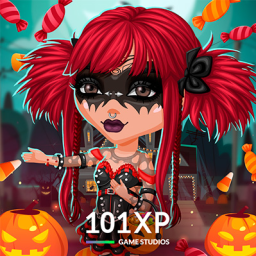
Welcome to Avatar Life, a mobile free game where communication has no boundaries! We can't wait for you to join us!

Avatar Life - 101XP | Official  ♀

Created: July 13, 2020

Members: 5374

Join Discord Server

Welcome to Avatar Life!

CREATE AN UNIQUE AVATAR

Choose your personal style from over 800 clothing pieces.

Experiment with over 400 appearance elements, such as hair, eyes, lips, etc.

Change your looks depending on your mood at any time!

SET UP A DREAM HOUSE

Choose from more than 1500 furniture pieces.

Try out ready-made design options.

Get access to the VIP room to restore your avatar’s energy in a matter of minutes.

BE IN THE SPOTLIGHT

Find new friends in Avatar Life or bring your real-life friends.

Have fun, flirt, give and receive gifts.

Start relationships, become friends, best buddies, a couple, or even rivals with anyone.

Compete for the title of the brightest one in Avatar Life and be rewarded for it.

LIVE LIFE TO THE FULLEST

Have fun, walk in a park, go to a nightclub, a café, or a beauty shop.

Choose a job to your liking and earn game currency.

Throw a wild party in your apartment, treat your friends with drinks, and dance through the night.

Don’t hold back and throw a cake in someone’s face!

Your new life and friends are waiting for you in Avatar Life! Download now for free!

How to join the Avatar Life – 101XP | Official ♀ Discord server?

If you are wondering how to join the discord server "Avatar Life – 101XP | Official ♀" to get the latest updates, announcements, and guides, just follow these simple steps:

  1. Scroll back to the top of this page and click the prominent "Join Discord Server" button.
  2. You will be instantly redirected to the official invite link for the Avatar Life – 101XP | Official ♀ community.
  3. If the direct link doesn't open automatically on your mobile device, simply copy the invite code from the URL, open your Discord app, click the "+" (Add a Server) icon, choose "Join a Server", and paste the code there.

Safe Browsing Reminder

Please note that Discord.Do is an unofficial educational guide and catalog. We are not affiliated with Discord, Inc. We will never ask for your password, email, or login token. True Discord authentication happens strictly on the official discord.com domain. Always verify your browser's address bar and practice digital hygiene!

Leave a Reply

Your email address will not be published. Required fields are marked *