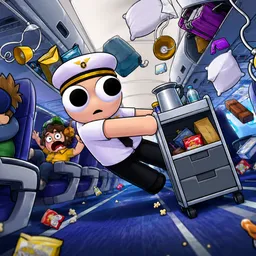
Running an airline is difficult enough without cannibal chickens in the passenger cabin. Banana Airways makes that problem considerably worse. Players take responsibility for a passenger plane where almost everything can go wrong: hungry chickens attack each other, radioactive passengers may explode, engines catch fire, and a screaming baby can end up in the cockpit. Somehow, the plane still needs to reach its destination.
There are plenty of jobs to divide between the crew. Someone has to serve food and deal with sick passengers, while another player might be climbing onto the wing to repair an engine or patch a hole in the fuselage. The game supports solo play, but its six-player setup is clearly designed for groups who enjoy coordinating under pressure. Naturally, things tend to get less organized when everyone starts panicking.
The official Banana Airways Discord server, linked directly from the game’s website, gives players a place to gather outside their flights. You can meet other people interested in the game, arrange co-op sessions, discuss the free demo, and share the most ridiculous things that happened during a flight. The developers have also invited players to send in their impressions, making the community a useful point of contact for anyone following the game’s development.