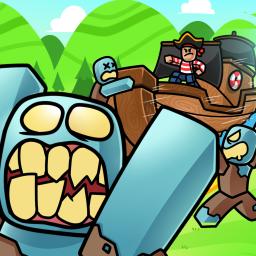
Countless Worlds is an expansive Roblox MMORPG that immerses players in a universe full of adventure, exploration, and dynamic combat. In this game, players traverse diverse landscapes, from lush forests to barren wastelands, each offering unique challenges and hidden treasures. The game’s richly detailed environments and diverse settings create a truly immersive experience.
The gameplay in Countless Worlds emphasizes cooperative missions and strategic battles. Players can customize their characters with unique abilities and classes, enabling them to tackle quests and conquer challenging dungeons. The seamless integration of exploration and combat ensures that every session is both engaging and unpredictable, providing endless replayability.
To further enhance the community experience, Countless Worlds has an official Discord server where players come together to share strategies, discuss game updates, and participate in exclusive events. This platform is designed to keep the community connected, allowing players to exchange tips, find teammates, and stay informed about the latest in-game developments.
The official Discord server is actively moderated and serves as the primary hub for all official communications from the development team. It offers a welcoming environment for both new players and veterans, fostering a vibrant community that collaborates to enhance the overall gaming experience. Joining the server ensures that you never miss an update and are part of a growing community of dedicated adventurers.