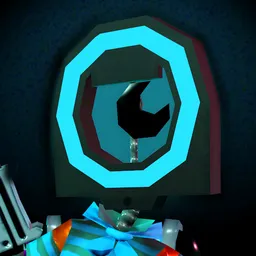
There’s something oddly satisfying about rescuing an old game cartridge that looks like it’s spent years at the bottom of a dusty box. Cozy Game Restoration turns that feeling into a first-person simulation. Packages arrive sealed with tape, and inside are forgotten video game cartridges covered in grime, faded stickers, scratches, and mysterious marker drawings. The job is to uncover what’s underneath without rushing the process.
Cleaning each cartridge takes a bit of attention. Dust, ink, adhesive residue, and discoloration all require different tools and techniques. Some games have cracked shells or damaged labels, while others hide surprisingly good condition beneath the dirt. Every restoration feels slightly different, and discovering what’s inside an unopened parcel is part of the appeal.
The collecting side adds another reason to keep going. Restored cartridges become part of your personal collection, while collection quests encourage you to search for particular genres, rarities, and unusual variants. Rewards can be used to decorate your collection room, turning it into a display of the games you’ve rescued.
The official Cozy Game Restoration Discord server is particularly useful for people who want to contribute to the game’s development rather than just play it. Players can share feedback, report bugs, suggest changes, and discuss their experiences with the developer. There’s also plenty of room for conversations about retro gaming, favourite discoveries, restoration techniques, and collection ideas.