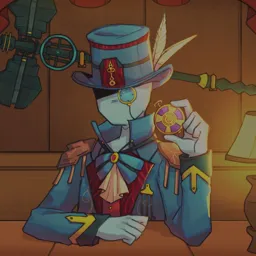
Crown Chaser is a free-to-play tower defense, real-time strategy game available on Windows, Android, and iOS platforms. Set in an evolving fantasy world, players collect and deploy hero, building, and spell cards to engage in thrilling player-versus-player (PvP) battles. The game emphasizes strategic gameplay, requiring players to construct effective decks and make tactical decisions to outmaneuver opponents.
In Crown Chaser, matches can be played in one-on-one or two-on-two formats within dynamic arenas. Each player defends three towers, aiming to destroy their opponent’s towers to secure victory. Success in battles rewards players with in-game currencies, such as Crown Utility Coin ($CUC) and Crown Governance ($CPG), which can be used to upgrade cards, participate in tournaments, and influence game development decisions.
To foster community engagement and provide support, Crown Chaser maintains an official Discord server. This platform serves as a central hub for players to discuss strategies, share experiences, and stay updated on game developments. The server offers channels dedicated to gameplay tips, event announcements, and developer interactions, creating an interactive environment for both new and experienced players.
Joining the Crown Chaser Discord server provides numerous benefits, including access to exclusive content, participation in community events, and direct communication with the development team. Whether seeking advice on deck building, looking for teammates, or staying informed about upcoming features, the Discord community enhances the overall gaming experience.