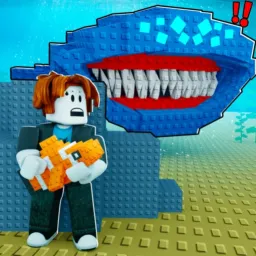
In Don’t Wake The Fish!, the thrill comes from stealth. You swim around quietly while fish sleep, trying not to wake them. If they stir, they’ll chase you down—and fast. The goal: swipe valuable fish lurking in shadows and slip away before the chase turns disastrous. That tension, those narrow escapes… it’s fun in the moment, but the game only gets richer once you join its official Discord server.
Inside the server, everything hushes down to strategy and timing. Fish behavior tips, spawn-patterns, and “best escape route” suggestions are shared as soon as someone discovers them. Players post screenshots of rare fish found napping in dark corners, compare gear that helps avoid detection, and discuss which swimming paths minimize sound or motion. These conversations turn guesswork into knowledge—and let everyone benefit once a trick or spawn spot is cracked.
Real-time alerts make Discord the best place to stay sharp. When devs drop updates—new fish types, map changes, or stealth gear buffs—the server lights up. Codes land there first. Event announcements arrive before they’re public elsewhere. That means you’re not just reacting in game—you’re anticipating, improving, staying one step ahead of waking fish.
The community vibe is supportive but competitive: showing off stealthiest heists, mocking near-miss chases, or celebrating when you escape with a rare fish that almost got you caught. Trade channels or swap-requests pop up for rare fish or detection-avoidance gear. Discord isn’t just a companion—it’s a second pair of eyes, a strategy board, and a network of fish-thieves sharing their best maneuvers.