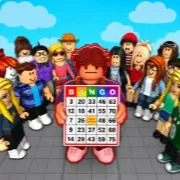
Endless Games is a Roblox experience built around variety. Instead of repeating the same activity over and over, players jump between different challenges that test their reactions, timing, and consistency. With every session feeling a little different, it’s easy to understand why people keep comparing their results long after they leave the game.
One player’s new high score rarely stays unnoticed for long. A screenshot appears in the Discord server, someone immediately asks how it was achieved, and another member uploads a clip showing a completely different approach. Even unsuccessful runs become useful when experienced players point out small mistakes that others can avoid on their next attempt.
Fresh content gives everyone another reason to return. As soon as an update is released, members begin testing new challenges, discussing balance changes, and seeing how the latest additions affect familiar strategies. If promotional codes are available, they’re usually shared alongside the first impressions so everyone can jump into the update with the same opportunities.
There is always another score to beat or another challenge that sparks conversation. Yesterday’s record becomes today’s goal, a clever tactic spreads through the community, and before long someone discovers an even faster or more reliable way to clear the same obstacle.