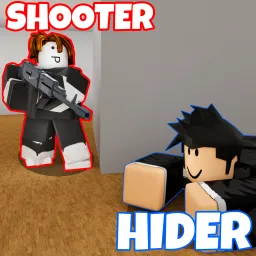
Fight the Shooter flips the hide-and-seek formula into an intense, asymmetric horror experience on Roblox. Your match begins with one player as the armed Shooter and the rest as Hiders. Hiders must survive as long as possible—finding weapons, allies, and hiding spots—before switching roles at the round’s end when survivors get to chase the Shooter down.
Survival skills matter: Hiders scavenge gear and cooperate to outlast the Shooter, while the Shooter hunts with deadly precision. Late in each round, Hiders can grab weapons and turn the tables for a dramatic finish. Matches hinge on timing, stealth, and split-second decisions, making every round a high-stakes showdown.
Progression revolves around earning coins by surviving or eliminating the Shooter. Coins unlock upgraded gear, emotes, and unique perks. While codes exist to grant bonus coins and items, they’re best discovered through the Discord server or game group—so staying connected means staying advantaged.
The official Fight the Shooter Discord server is the central hub for players. It’s where developers share patch notes, announce updates and game modes, and drop fresh code giveaways. Players coordinate team strategies, share hiding spot tips for specific maps, and team up for in-game squad hunts. Whether you’re playing solo or with friends, Discord offers the tools and community to elevate your gameplay.