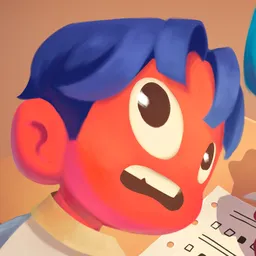
Finding three friends for a group project is hard enough. Finding them for an exam you’re planning to cheat on is another matter. The official Finals Week Discord server has a dedicated Looking for Group channel, which is particularly useful because the game doesn’t have a lobby browser. Players can arrange a team before launching a session instead of hoping to find someone through matchmaking.
Finals Week is a first-person co-op comedy game for up to four players. Everyone is stuck in a 1990s-style school, trying to pass increasingly difficult exams without actually studying. The group needs to steal answers from prepared classmates, exchange textbooks, use phones and walkie-talkies, and avoid a teacher who is rather serious about catching cheaters.
There is more to coordinate than it might seem. One player might distract the teacher while another searches for answers, and someone else has to get the information to the rest of the group. Proximity voice chat makes communication part of the experience, while the Discord server gives players a way to find compatible teammates and plan their next attempt.
The developers also use the server for practical support. In their post-launch announcements, they’ve asked players experiencing disconnections and other technical problems to get in touch through Discord so they can investigate. It’s also where feedback and suggestions can reach the team. For a game built around cooperation, having an active place to recruit a squad and sort out problems is genuinely useful.