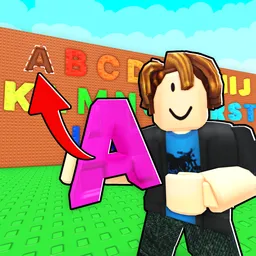
A single missing letter can keep a puzzle unsolved far longer than anyone expects. That’s part of what makes Finish The Word satisfying—every round looks simple until an unexpected answer appears. Some players rely on vocabulary, others trust patterns, and occasionally a lucky guess saves the day.
Those moments don’t stay inside the game for long. Someone posts a screenshot of a word that caught everyone off guard, and before long the replies fill with alternative guesses, explanations, and plenty of “I can’t believe I missed that.” Newcomers often ask about unusual words they haven’t encountered before, while regulars enjoy comparing how quickly they solved the latest challenge.
Updates create a different kind of conversation. Fresh word lists, new game modes, or changes to existing mechanics quickly become topics of discussion as members test everything for themselves. If promotional codes are released, they usually spread through the server alongside the first reactions to the update.
The most interesting part isn’t finding people who already know every answer—it’s watching everyone reason through the puzzles together. One clue turns into dozens of guesses, a difficult word sparks an unexpected discussion, and by the end of the conversation even the players who got it wrong have learned something new before moving on to the next challenge.