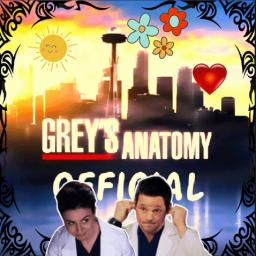
Grey’s Anatomy Official Fans and Shows • Social | TV Shows | Emotes | Chill | Fandom

A chill fan made community for fans of many shows. We have channels for general chatting, memes, emoji's and much more.

Grey's Anatomy Official Fans and Shows • Social | TV Shows | Emotes | Chill | Fandom

Created: March 26, 2021

Members: 1745

Join Discord Server

We are a chill fandom community made by fans with the focus mainly and officially being on the Show Grey’s Anatomy.

But Grey’s Anatomy is not the only thing we have to offer. We also host fans of other shows including Station 19, Private Practice, House MD, The Good Doctor, Supernatural, Criminal Minds and many more to ensure you always have something to talk about in our server if you ever lose interest in Grey’s Anatomy as a show.

You can even join the server if not a fan of any of the shows we have just to have daily conversations and make new friends daily. Our ownership team is extremely active and helps provide members with a welcoming environment and a great show of support for all members no matter new or not.

Have a rough morning? Rough day at work or school? Feeling down? We as a community will have your back. That is what makes us, us and different from other servers.

To us every member matters and we will do our best to ensure that. We do our best to frequently update the server based on research and statistical data to better ensure the safety and better morale of each and every member.

How to join the Grey’s Anatomy Official Fans and Shows • Social | TV Shows | Emotes | Chill | Fandom Discord server?

If you are wondering how to join the discord server "Grey’s Anatomy Official Fans and Shows • Social | TV Shows | Emotes | Chill | Fandom" to get the latest updates, announcements, and guides, just follow these simple steps:

  1. Scroll back to the top of this page and click the prominent "Join Discord Server" button.
  2. You will be instantly redirected to the official invite link for the Grey’s Anatomy Official Fans and Shows • Social | TV Shows | Emotes | Chill | Fandom community.
  3. If the direct link doesn't open automatically on your mobile device, simply copy the invite code from the URL, open your Discord app, click the "+" (Add a Server) icon, choose "Join a Server", and paste the code there.

Safe Browsing Reminder

Please note that Discord.Do is an unofficial educational guide and catalog. We are not affiliated with Discord, Inc. We will never ask for your password, email, or login token. True Discord authentication happens strictly on the official discord.com domain. Always verify your browser's address bar and practice digital hygiene!

Leave a Reply

Your email address will not be published. Required fields are marked *