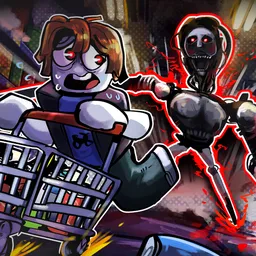
Heads, Please! is one of the most delightfully bizarre experiences on Roblox — a fast-paced game where players collect, customize, and sometimes quite literally trade heads in hilarious competitions. It’s part comedy, part chaos, and completely addictive. Every match is filled with unpredictable moments as players scramble to complete objectives while showing off their rare or ridiculous head designs.
The official Heads, Please! Discord server captures that same playful energy. It’s a lively hub where players trade customization ideas, discuss secret achievements, and share their funniest in-game clips. The sense of humor runs deep — even developer announcements and event teasers are often delivered with a tongue-in-cheek tone that matches the spirit of the game.
Regular community events keep things exciting. From themed head contests to scavenger hunts, there’s always a reason to jump back in and participate. The developers also use the Discord to collect feedback and suggestions, ensuring that new updates reflect the creativity and weirdness that fans love most.
Joining the Heads, Please! Discord isn’t just about chatting — it’s about embracing the absurd, laughing at the chaos, and finding a crew that appreciates the strange brilliance of this Roblox gem. Whether you’re a casual collector or a dedicated competitor, the community always has a place for your head.