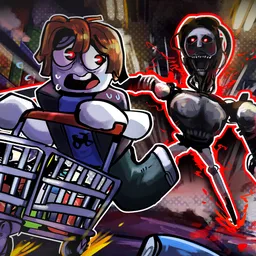
** Welcome to the Hired Heroes server! **
We are happy to welcome you to our exciting and friendly community, where everyone can find their place. Not only exciting adventures await you here, but also plenty of opportunities to socialize and interact.
What’s in store for you on Hired Heroes?
International Communication: Communicate and unite with international clans. On our server you can find like-minded people from all over the world and expand your gaming horizons.
Help & Support: Our veterans are always ready to help newcomers with tips and advice. Don’t hesitate to ask questions and ask for support – you’ll always get help here.
Feedback from Developers: Do you have any ideas or suggestions on how to improve the game? Leave them with us and we’ll pass them on to the developers for consideration. The developers also share their news directly with you in a separate channel.
Bug Reporting: If you encounter problems or bugs, post them here. This will help us to fix them quickly and make your game more comfortable.
Media & Entertainment: Share memes, fan videos and other media in the appropriate channels. There are also announcements of invites, events, and giveaways, so don’t miss out on important updates!
Join Hired Heroes to be at the center of gaming events, make new friends, get help from experienced players and participate in exciting activities. Your adventure starts here!