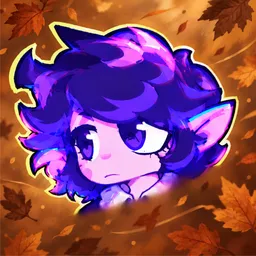
“It’s not a mistake, it’s a masterpiece” is the kind of phrase that can escape a creator’s channel and take on a life of its own. JellyBean built an audience around energetic gaming videos, short-form comedy, and a distinctive purple cartoon avatar. Minecraft has long been a big part of the channel, but Roblox, horror games, and reaction videos also feature in the mix.
The JellyBean official Discord is where viewers can hang out beyond the videos. Fans can discuss recent uploads, share jokes, and meet other people who follow the channel. It’s a natural home for a community that enjoys both the gameplay and the running gags that develop around JellyBean’s content.
Minecraft challenges and horror games provide plenty of memorable moments, while Roblox sessions bring a different kind of chaos. Reaction videos add yet another side to the channel, with commentary on internet clips, animations, and unusual online discoveries. There’s no single game that defines the community, so conversations can move from a difficult game moment to a meme in a matter of messages.
JellyBean’s audience has grown around its own style of humour and shared references. Whether you’ve followed the Minecraft videos for years or arrived through a more recent reaction, the Discord offers a place to join in, trade favourite moments, and talk with fellow fans between uploads.