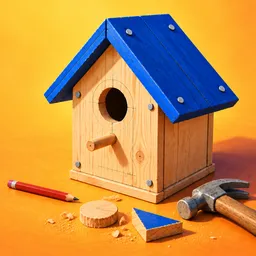
A flat piece of timber doesn’t look like much until you start working on it. Made by Hand puts you behind the workbench of your own woodworking shop, where turning raw boards into finished goods means measuring, marking, cutting, shaping, sanding, and assembling every part yourself. Even a simple household item takes a series of deliberate steps, and rushing through them can spoil the result.
The workshop isn’t just a place to pass the time. Once a piece is finished, you photograph it and list it for sale online. Buyers leave ratings, likes, and comments, giving your craftsmanship a response beyond simply checking an item off the production list. Successful sales bring in money for the next project, while a delivery drone takes care of getting completed orders to customers.
There’s a difference between following a blueprint and knowing how to make the finished piece look right. Choosing the wood, measuring each component accurately, smoothing rough edges, and getting the assembly right all contribute to the process. Hand tools and workshop machinery are available, but they don’t remove the need to pay attention to the details.
The official Made by Hand Discord is where players can follow the project, discuss the woodworking simulation, and share feedback with the community. As the game develops, it offers a place to talk about possible improvements and what you’d like to see in the workshop. For anyone who enjoys making things carefully rather than racing toward an objective, the appeal is in watching an ordinary board become something worth selling.