MopMovies Fox Guild Community

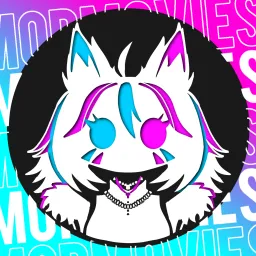
WELCOME TO THE MOPMOVIES DUMPLING CLUB Join in on the MopMovies community and become one of the cute dumplings

MopMovies Fox Guild Community Discord server

Created: October 07, 2022

Members: 2065

Join Discord Server

Welcome to the Mops Dumpling Club, the official Discord server of MopMovies, a talented content creator on many different platforms! MopMovies makes all types of content creation, including VRChat videos, YouTube videos, and Twitch streams. He is known for his creativity, humour, and positive attitude. The Mops Dumpling Club is the quickest and easiest way to communicate with Mop, other fans and creators. It’s also the best place to get the latest content from Mop in a second, but the Mops Dumpling Club is more than just a way to watch Mop’s latest videos. The server has a loving staff and a welcoming community with resources to help you In anyway you can imagine, to help you become a better person. In addition to the benefits listed in the original introduction, the Mops Dumpling Club also hosts fun events for every occasion, from holidays to just-for-fun hangouts. These events are a great way to meet new friends, catch up with old ones, or have some fun with the activities. The Mops Dumpling Club is a server for people of all levels of experience, from longtime fans of MopMovies to new content creators themselves. Whether you’re looking for friends, a place to chat, or to become your own content creator, the Mops Dumpling Club is the place for you.

How to join the MopMovies Fox Guild Community Discord server?

If you are wondering how to join the discord server "MopMovies Fox Guild Community" to get the latest updates, announcements, and guides, just follow these simple steps:

  1. Scroll back to the top of this page and click the prominent "Join Discord Server" button.
  2. You will be instantly redirected to the official invite link for the MopMovies Fox Guild Community community.
  3. If the direct link doesn't open automatically on your mobile device, simply copy the invite code from the URL, open your Discord app, click the "+" (Add a Server) icon, choose "Join a Server", and paste the code there.

Safe Browsing Reminder

Please note that Discord.Do is an unofficial educational guide and catalog. We are not affiliated with Discord, Inc. We will never ask for your password, email, or login token. True Discord authentication happens strictly on the official discord.com domain. Always verify your browser's address bar and practice digital hygiene!

Leave a Reply

Your email address will not be published. Required fields are marked *