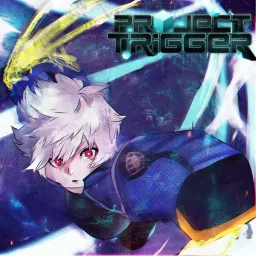
Project Trigger

Join the Project Trigger Discord to access codes, guides, and community events in this World Trigger–inspired Roblox action game.

Project Trigger Discord server

Created: January 15, 2022

Members: 3743

Join Discord Server

Project Trigger is a Roblox fighting game inspired by the anime World Trigger. Players aim to achieve A-rank status by battling enemies, completing quests, and upgrading abilities. The game offers various races, side effects, and attachments, providing a diverse gameplay experience. Players can enhance their skills through challenging quests and utilize codes for rewards like spins, experience points, and in-game currency.

The official Project Trigger Discord server serves as the central hub for the game’s community. Players can join to access the latest news, updates, and exclusive codes that provide in-game rewards. The server also offers channels for strategy discussions, allowing members to share tips and collaborate on gameplay tactics. Additionally, players can report bugs and receive support from moderators, fostering a supportive and interactive community environment.

By participating in the Discord server, players can stay informed about upcoming features and events, as well as connect with fellow enthusiasts to enhance their gameplay experience. Whether seeking advice on character builds or looking to team up for challenging quests, the Project Trigger Discord community provides valuable resources and camaraderie for all players.


How to join the Project Trigger Discord server?

If you are wondering how to join the discord server "Project Trigger" to get the latest updates, announcements, and guides, just follow these simple steps:

  1. Scroll back to the top of this page and click the prominent "Join Discord Server" button.
  2. You will be instantly redirected to the official invite link for the Project Trigger community.
  3. If the direct link doesn't open automatically on your mobile device, simply copy the invite code from the URL, open your Discord app, click the "+" (Add a Server) icon, choose "Join a Server", and paste the code there.

Safe Browsing Reminder

Please note that Discord.Do is an unofficial educational guide and catalog. We are not affiliated with Discord, Inc. We will never ask for your password, email, or login token. True Discord authentication happens strictly on the official discord.com domain. Always verify your browser's address bar and practice digital hygiene!

Leave a Reply

Your email address will not be published. Required fields are marked *