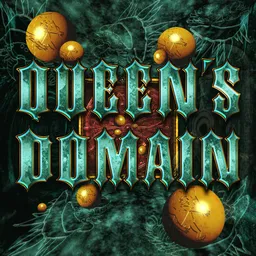
The Holy Sword Endu does more than cut through enemies. In Queen’s Domain, it also lets you glide across gaps and reach places that would otherwise be inaccessible. This first-person action RPG takes you to the Isle of Neasied, where you’re searching for your missing father among forgotten ruins, twisting paths, and creatures that won’t make the journey easy.
Exploration often rewards a closer look. Hidden passages can lead to useful discoveries, while unfamiliar enemies may force you to rethink your approach. There are more than 50 melee weapons to find, each with its own skills, alongside throwing weapons and charged attacks. Since every swing consumes stamina, blindly attacking everything in sight isn’t always the best plan.
The official Queen’s Domain Discord is a place for players to compare discoveries, discuss difficult encounters, share demo feedback, and follow news about the game. If you’ve found a hidden route or worked out how to handle a troublesome boss, there’s a community of fellow adventurers to talk to.
Character progression gives you more ways to prepare for the island’s tougher areas. You can improve your stats, upgrade weapons, and use food to gain useful bonuses before heading back into danger. Queen’s Domain is built for players who enjoy getting lost, finding their own way forward, and earning every victory rather than simply following a marker to the next fight.