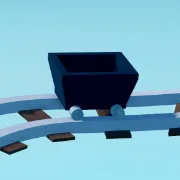
Ride a Cart Simulator on Roblox is all about speed, distance, and the thrill of watching your cart go flying after a perfect run. But if you want the experience to stretch further than the in-game slides, the official Discord server offers that extra layer—turning casual racing into a connected community of cart riders.
The server is neatly organized into dedicated channels. There’s a section for update announcements, where developers post fresh content drops, balance tweaks, and sneak peeks of future worlds. Another area is set aside for code releases, so you never miss a chance to grab bonuses the moment they go live. These channels act like an early-warning system, helping active members stay one step ahead of everyone else.
Strategy-sharing is also a huge part of the Discord. In the build showoff channel, players compare cart setups, discuss pathing tricks, and talk about how to squeeze extra meters out of a run. Meanwhile, the leaderboard and runs section allows racers to post highlights of their biggest launches, fueling competition and friendly bragging rights. Over time, these community-driven exchanges shape new tactics and bring variety to gameplay.
And it’s not just technical talk. The server thrives as a social hub, with spaces for memes, off-topic chat, and event participation. Players celebrate big wins together, host informal challenges, and share the lighter side of crashing carts. It’s this mix of practical info and social fun that makes the official Discord an essential companion to the game.
In short, Ride a Cart Simulator’s Discord isn’t just a support tool—it’s the pit stop where updates, teamwork, and community energy keep the race alive long after the run is over.