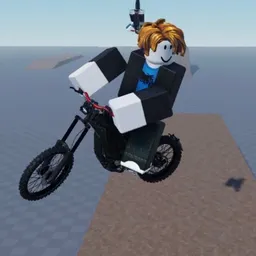
Not every ride needs a finish line. In Ride Storm, you can take a motorcycle through city streets, race along highways, or head into the mountains and deserts just to see where the road leads. The Roblox game features more than 90 motorcycles, with different bikes to unlock and customize as you build up your collection.
The Ride Storm Discord is where players can keep up with announcements, find other riders, and talk about the game beyond their latest session. It’s a useful place to follow special events and updates, exchange riding tips, and see what other players are doing with their bikes.
There is plenty to tinker with in the garage. Customize your motorcycle, upgrade it, and try different rides to find what suits you. The open world also has changing weather, so a familiar stretch of road can feel different on another outing. Races and challenges add a competitive side for players who prefer testing their skills rather than simply cruising around.
Some players will spend their time collecting bikes; others will want to ride with friends or compete. Ride Storm gives room for both, and its Discord community brings those interests together. Keep up with new content, share your favorite builds, and find fellow riders for your next trip across the map.