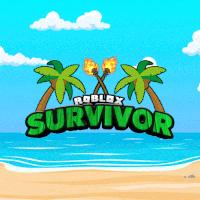
ROBLOX: Survivor!

Roblox: Survivor! hosts quality seasons of Survivor and some fun spin-offs like our own format of Big Brother!

ROBLOX: Survivor!

Created: June 29, 2021

Members: 2701

Join Discord Server

: ! hosts quality seasons of Survivor and some fun spin-offs like our own format, Island Royals and the Hunger Games! Join today, have some fun and make friends! (and enemies!)

If you like voting people out, you’re in the right spot. Unlike regular automated Outlaster, each of our seasons is run by a qualified survivor host, making the world’s greatest game, Roblox Survivor, more fun and more realistic.

There may not be players playing any of our games at the time you’re viewing our group page, but never fear! Our community is very much alive, and players only join games once a host announces that they will be hosting a season. Find out when seasons are by joining our communications server.

Once you win a season, you will be ranked up. Each new rank gives you access to more emotes and server ranks!

We are not affiliated with Peak Precision Studios (the group that owns ‘Survivor’, a game that was removed), our games have not been and won’t be removed.

How to join the ROBLOX: Survivor! Discord server?

If you are wondering how to join the discord server "ROBLOX: Survivor!" to get the latest updates, announcements, and guides, just follow these simple steps:

  1. Scroll back to the top of this page and click the prominent "Join Discord Server" button.
  2. You will be instantly redirected to the official invite link for the ROBLOX: Survivor! community.
  3. If the direct link doesn't open automatically on your mobile device, simply copy the invite code from the URL, open your Discord app, click the "+" (Add a Server) icon, choose "Join a Server", and paste the code there.

Safe Browsing Reminder

Please note that Discord.Do is an unofficial educational guide and catalog. We are not affiliated with Discord, Inc. We will never ask for your password, email, or login token. True Discord authentication happens strictly on the official discord.com domain. Always verify your browser's address bar and practice digital hygiene!

Leave a Reply

Your email address will not be published. Required fields are marked *