Fight monsters and players in this open-world real-time game!
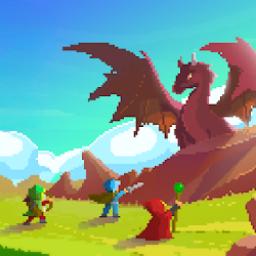
Rucoy Online is a Massively Multiplayer Online Role Playing Game where you can fight monsters with your friends in it’s real time open world.
Features:
√ Player vs Player (PvP)
√ Guild System
√ Play as a Knight, Archer or Mage
√ You can change your character class anytime
√ Use spells to deal more damage
√ Ally with other players and form a team to defeat strong monsters and get extra experience
√ Hunt dozens of different monsters
√ Find the best equipment
√ Increase your level and skills without limits
√ Ever growing open world
√ Chat with other players
√ Customize your character
√ No account registration, just link your character to your Google account and that’s it
How to play:
– To move touch where you want to go
– To attack simply select a target
– Use the buttons on the left side to restore health, mana or use a special ability
– Use the buttons on the right to change weapons
– To pick up loot from the ground just touch the hand icon
– Each level increases your health points, mana points, moving speed, attack and defense
PvP system:
– Attacking and/or killing innocent players will mark you as cursed
– Attacking and/or killing cursed players won’t mark you as cursed
– There is a gold reward for killing cursed players
– Standing on a PvP zone will reduce the duration of your curse
Website: www.rucoyonline.com
![Machine Party Roblox [official] Discord server](https://discord.do/wp-content/uploads/2026/08/Machine-Party-Roblox-official-Discord-server.webp "Machine Party")