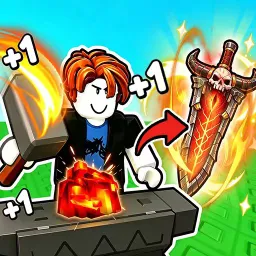
Two players can walk into the forge with the same amount of ore and walk out with very different equipment. In The Forge, the materials you choose and how well you handle the crafting process determine what ends up in your hands. Rare ores can give weapons and armor unusual traits, so finding a valuable mineral is only half the job. The other half is knowing what to do with it.
Mining takes you into increasingly dangerous areas where better resources come with tougher enemies. You can upgrade your pickaxe, collect runes, improve your equipment, and explore new islands as your character grows stronger. Eventually, the question stops being simply how to get better gear and becomes which combination of materials and bonuses suits your build.
The official The Forge Discord is where players can compare crafting recipes, discuss discoveries, share suggestions, and follow changes to the game. With more than a thousand possible equipment variations advertised in the game’s description, there’s plenty of room to experiment. A combination that works for one weapon may not be the best choice for another, and exchanging ideas can help you discover options you hadn’t considered.
Combat gives those crafting decisions a purpose. Stronger equipment lets you take on more dangerous enemies, while new areas offer fresh resources to pursue. The satisfying part is seeing your own work pay off: the ore you searched for, the item you crafted, and the build you assembled all come together when you finally defeat an opponent that used to give you trouble.